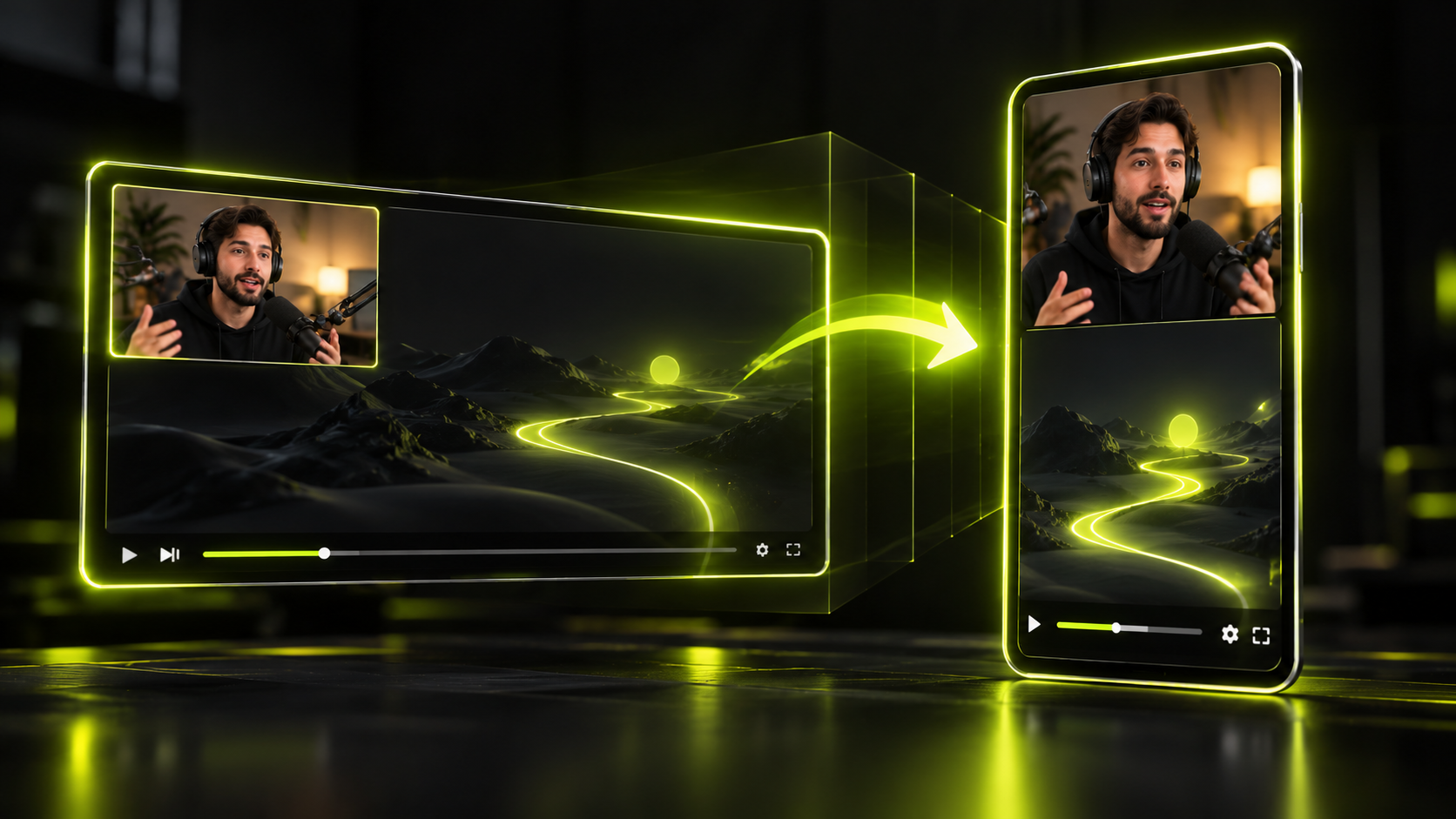
YouTube and Instagram both measure the opening of your short, but only Instagram puts a number on it. YouTube tracks whether people in the Shorts feed viewed your short or swiped away. It also counts how often they "stayed to watch past the initial seconds," without saying how many seconds that means. Instagram's View Rate shows the share of viewers who keep watching after the first 3 seconds.
So "the first 3 seconds" is a useful target, not a YouTube rule. The real job is simpler: give a stranger a reason to stay before they decide to leave. This guide covers that job for footage you already have, like podcasts, streams, talks and webinars. You can't re-film those, so the hook has to be found, trimmed and tested.
The short version
- YouTube measures viewed vs swiped away and "stayed to watch," with no published number of seconds. Instagram's View Rate uses 3 seconds.
- Since August 24, 2026, YouTube counts a view the moment a video starts to play. Check engaged views and swipe-away data instead.
- A moment is something interesting that happens. A hook is the first line or image that makes a stranger want to see it.
- Six hook types survive clipping well: the bold claim, the open question, the number, payoff first, mid-story, and the visual hook with text.
- Trim so the clip starts on the hook's first word, not on the setup before it.
- Test openings against your own channel's recent shorts. No official benchmark exists.
Why the first seconds decide reach
The opening is the first thing both platforms can measure, and it shapes what they report back to you. On YouTube, a short shown in the Shorts feed is either viewed or swiped away. On Instagram, View Rate tracks who keeps watching past 3 seconds. Later signals like watch time and shares mostly come from people who stayed.
Each platform publishes the following about the opening.
| Platform | Metric | What it measures | Official threshold |
|---|---|---|---|
| YouTube Shorts | Viewed vs swiped away | How often viewers viewed your short versus swiped away, when it showed in the Shorts feed | None published |
| YouTube Shorts | Stayed to watch | How often viewers stayed past "the initial seconds" of a short | None published |
| YouTube Shorts | Engaged views | Views past the initial seconds, not counting loops | None published |
| YouTube Shorts | Views | Counted the moment a video starts to play (since Aug 24, 2026) | Counts on play |
| Instagram Reels | View Rate | Share of viewers who continue to watch after the first 3 seconds | 3 seconds |
Two things stand out. First, YouTube never names a number of seconds. Its help pages say "initial seconds" and stop there. Second, Instagram is the only platform here that names 3 seconds, and it does so for View Rate.
YouTube's Shorts team has framed it the same way. "Instead of impression and click-through, you have view vs swiped away," the Shorts lead wrote in a 2024 YouTube Blog post. In other words, on Shorts the opening does the job a thumbnail and title do on long videos.
What YouTube's search and discovery looks at
YouTube's help page on Shorts search and discovery lists three performance signals. They are the "% of viewers who chose to view, avg. view duration and avg. % viewed." The first one is a direct read on your opening. The other two depend on it, because nobody watches the middle of a short they swiped past.
Instagram's creator blog names "watch time, retention, shares" among its ranking signals. Its creator FAQ gives blunt advice about the opening. "Make sure the first 3 seconds of your reel are engaging," it says.
The view count changed in 2026
YouTube changed how it counts views on August 24, 2026. Now "views are counted the moment a video starts to play across all formats," per its help page on engaged views. A short can now collect views even if most people leave right away. The view counter no longer tells you whether your hook worked.
This builds on an earlier change. From March 31, 2025, a Shorts view counted on play or replay, "with no minimum watch time requirement." The older metric was renamed engaged views. Engaged views count viewers who stayed past the initial seconds, not including loops. YouTube Partner Program earnings still use engaged Shorts views.
For hook work, look at viewed vs swiped away, stayed to watch and engaged views. Treat raw views as reach, not as proof that the opening held.
One second vs three: creator rules of thumb
Creators often go further than the platforms do. Shorts creator Jenny Hoyos put it bluntly in a January 2025 post on YouTube's blog. "You have one second to hook someone, especially on Shorts," she said. That's a creator's working rule, not a YouTube metric. It's still a handy mindset when you trim: assume the first second has to carry the clip.
Hookspring's hook score looks at the opening 1 to 3 seconds of each clip. That window is our design choice for ranking clips. It isn't a number YouTube publishes.
Hooks vs moments
A moment is the interesting thing that happens in your long video. A hook is the opening that makes a stranger want to see that moment. A lot of clips have a strong moment and a weak opening, because the clip starts on the setup.
Auto-clippers, ours included, mostly find moments: a big laugh, a strong opinion, a reveal. Picking the moment is only half the work. The other half is choosing where the clip starts, and that's where the hook lives.
Loud isn't the same as hooky
A shout or a laugh can be a great moment, but out of context it may mean nothing to a stranger. A quiet, clear sentence can do more to stop the scroll than a big reaction. Ask one question about every candidate:
Would a stranger stop scrolling for this first sentence?
If the honest answer is "only after some context," the moment belongs in the middle of a clip. Find a different opening line, or add on-screen text that supplies the missing context.
The shape of a keeper clip
A clip that holds attention usually has three parts in a clear order. This is a working rule we use, not a platform requirement.
| Part | Job | Test |
|---|---|---|
| Hook | Stop the scroll | A stranger gets it with no context |
| Proof | Earn the watch | One idea per clip, nothing extra |
| Payoff | Reward, then loop | It ends where a rewatch feels natural |
The hook doesn't have to be the best line in the clip. It has to be the line that makes the payoff worth waiting for. Sometimes that's a question. Sometimes it's the payoff itself, shown first.
6 hook types that survive clipping
The hooks below are patterns you can find inside long-form footage. You don't need to write or film anything new. Each comes with a short example, and every example is an illustration, not a real quote.
For 50 more patterns sorted by type, browse these hook examples for shorts.
1. The bold claim
This is a single sentence that states a strong, specific opinion. It invites a reaction: agreement, doubt or curiosity about the reason behind it.
Illustration, from a business podcast. "Raising my prices was the best thing I did for my clients," says the guest. Start the clip on "Raising," not on the host's question before it.
Watch for claims that only make sense after the previous ten minutes. If the claim needs a name or term the viewer hasn't heard, it won't land.
2. The open question
Here the speaker asks a question that the rest of the clip answers. The viewer stays to hear the answer.
Illustration, from a cooking stream: "Why does my bread always go flat on day two?" Then get to the answer fast. If the speaker rambles first, cut the ramble out.
The question must be one a stranger actually wonders about. Inside jokes and channel lore make poor questions.
3. The number
A countable promise, like "two mistakes" or "three steps," tells the viewer how long they'll wait and what they'll get.
Illustration, from a webinar: "There are two mistakes I see in almost every pitch deck." The clip should then deliver both. If the speaker covers only one before moving on, pick a different clip.
Don't add a number the speaker didn't say. On-screen text that promises three tips and delivers one breaks trust quickly.
4. Payoff first
Show the result, then rewind to how it happened. This suits streams, demos and reactions, where the best moment is visual.
Illustration, from a gaming stream: open on the final winning shot, then cut back to the start of the round. A short text line like "how did this happen?" can bridge the jump.
In an editor, this means placing the payoff ahead of the setup on the timeline. Keep the jump obvious so the viewer isn't confused about what came first.
5. Mid-story
Start in the middle of a story, at the point where something is already going wrong or getting strange. Skip the "So, this one time" warm-up.
Illustration, from an interview. "I'm standing in the parking lot holding keys to the wrong car," the guest begins. The viewer wants to know how they got there and what happens next.
The risk is too little context. If the clip needs one fact to make sense, put it in on-screen text instead of keeping a slow spoken setup.
6. The visual hook with on-screen text
Some footage has a great moment and no great first line. Gaming clips, silent demos and crowd reactions often look like this. Here, the picture does the hooking and short on-screen text supplies the context.
Illustration, from a baking demo. The clip opens on a cake collapsing. On screen, the text "I skipped one step" appears over the shot. The viewer sees the problem and gets a reason to stay for the cause.
Keep the text short enough to read at a glance, and keep it clear of the platform's buttons. For formulas and placement, read the guide to on-screen text hooks for shorts.
How to trim a clip to the hook
Trimming to the hook means the clip starts on the first word of the hook, not on the words before it. Fillers like "so," "um" and "yeah, so" are usually the first things to cut. The full method for choosing that word is in the guide on how to start a short.
The steps below show the flow in Hookspring. The same logic works in any editor that lets you cut on a word.
Step 1: Find candidate clips
In Hookspring, go to Create → Long video → Find clips, then upload a file or paste a YouTube link. The cost in credits shows before you start, and each step reports progress. Every word gets its own timestamp, and you get back a batch of vertical clip candidates.
Step 2: Sort by hook score and read the reason
In the review list, sort by score. Each clip has a hook score for its opening 1 to 3 seconds, plus a plain-English reason. The reason matters more than the number, because it tells you what the opening does well or what drags it down.
A low score doesn't always mean a bad moment. If the reason points to a slow or unclear start, the clip may simply begin too early.
Step 3: Cut the lead-in from the transcript
Open the clip and go to Editor → Captions. Find the lines before the hook, like a greeting, a filler or a half-finished thought. Click ✂ on a line to cut it from the clip.
Reading the opening is often quicker than scrubbing audio. You spot the first strong sentence and remove what comes before it.
Step 4: Fine-tune the start on the timeline
Drag the timeline handles to set the exact start. Aim to begin right on the first word. If the cut sounds clipped, ease the start back a touch until the word sounds clean.
The timeline also lets you split, delete and reorder clips. Reordering is how you build a payoff-first opening: split off the payoff and move it ahead of the setup.
Step 5: Make the first frame readable
The first frame should show the subject clearly. Drag the focus box onto the speaker so they stay framed and tracked in 9:16. In the Captions tab, pick a template (Hook, Minimal or News) so the first line reads well with the sound off.
If the hook needs context, add it with Text in the editor toolbar. When you're done, go to Editor → Export → Download for a 720p or 1080p vertical MP4.
For the whole process, from long video to posted clip, see how to turn long videos into shorts.
Common trimming mistakes
- Starting on the interviewer's question when the guest's answer stands on its own.
- Keeping a long intro "for context" that a single line of on-screen text could replace.
- Cutting mid-word, so the first sound is a clipped syllable.
- Ending before the payoff lands, which leaves the hook's promise unpaid.
- Opening on a wide shot where the speaker is small and hard to read.
Testing two openings with your own swipe-away data
The only fair benchmark for your hooks is your own channel. YouTube doesn't publish a "good" viewed vs swiped away rate, and results vary by topic and audience. Compare each short to your own recent shorts, not to a figure from someone else's blog.
Where to find the numbers
In YouTube Studio, go to Analytics → Content and choose the Shorts chip. The "How viewers engaged" section shows viewed vs swiped away and stayed to watch. The full walkthrough is in the guide to viewed vs swiped away in YouTube Studio.
On Instagram, check View Rate for each reel. It shows the share of viewers who kept watching after the first 3 seconds.
A simple way to compare openings
You can't show two openings to the same viewer at the same moment. The practical test is to compare hook types across similar clips and keep notes.
- Pick two candidate clips from the same long video that open with different hook types, like a bold claim and a question.
- Before posting, read each clip's hook score and reason. Write down which one you expect to do better, and why.
- Post them on different days at your usual posting times.
- Once both have had time to settle, compare viewed vs swiped away and stayed to watch against your recent shorts.
- Log the result next to the hook type. After a handful of tests, your own patterns start to show.
You can also retry a strong moment with a new opening later. Treat that as a rough read, because the audience and timing differ the second time around.
Here's an illustration of a test log entry. "Raising my prices was the best thing I did" is the opening of clip A. "Should you ever raise prices on loyal clients?" is the opening of clip B. You note both hook scores and post them a few days apart. Then you record which one beat your usual swipe-away range.
What the hook score can and can't tell you
A hook score is a prediction made before anyone sees the clip. Your swipe-away data is the result. Use the score to choose which openings to try first, and let your analytics decide which hook types to keep.
A score can't see your audience's taste, this week's trends or how the feed tests your short. For more on what these models measure, read how AI hook and virality scores work.
A weak test won't sink your channel
A test that flops isn't a disaster. YouTube says one video that underperforms doesn't penalize your whole channel. That makes small, steady tests a safe habit.
Hook checklist
Run through this list before you export each clip.
- The clip starts on the first word of the hook, not on a filler or greeting.
- A stranger with no context understands the first sentence.
- The opening fits a clear hook type: claim, question, number, payoff first, mid-story, or visual with text.
- Any promise in the hook, like a number or a question, gets paid off in the clip.
- The subject is framed and readable in the first frame, in 9:16.
- Captions are on, and the first line reads well with the sound off.
- Any on-screen text is short and clear of the platform's buttons.
- You've read the hook score's reason and fixed what it flagged, where you agree with it.
- After posting, you'll compare viewed vs swiped away and stayed to watch against your own recent shorts.
Each opening you trim makes the next one faster to spot.
FAQ
What is a hook in a short-form video?
A hook is the opening line, image or text that gives a viewer a reason to keep watching. In clips from long videos, it's usually a sentence you choose as the start point. It's different from the moment, which is the interesting thing the clip shows.
How long should a hook be on Shorts?
YouTube doesn't publish a hook length. Its analytics track whether viewers stayed past "the initial seconds," with no number given. Instagram uses 3 seconds for View Rate. A practical goal is to make the point clear in the first sentence, and to start the clip on that sentence.
What does viewed vs swiped away mean?
It's how often viewers in the Shorts feed chose to view your short versus swiping past it. You'll find it in YouTube Studio under Analytics → Content → Shorts, in the "How viewers engaged" section. YouTube's Shorts lead has compared it to impressions and click-through on long videos.
What is a good stayed-to-watch rate?
There's no official good rate. YouTube doesn't publish a benchmark, and results vary by niche and audience. Compare each short to your own recent shorts, and look for openings that beat your usual range.
Do the first 3 seconds matter on Reels and TikTok?
On Reels, yes. Instagram's View Rate measures who keeps watching after the first 3 seconds, and its creator FAQ asks for engaging first seconds. TikTok called finishing a longer video a "strong indicator of interest" in a 2020 For You explainer reported by Tubefilter. Nobody finishes a video they left in the opening, so the same trimming habits apply.
Written and maintained by the Hookspring team. Spot an error or something out of date? Email hello@hookspring.com.
Sources
- Shorts analytics: viewed vs swiped away, YouTube Help, retrieved 2026-10-18
- Engaged views, stayed to watch and view counting, YouTube Help, retrieved 2026-10-18
- Shorts view counting changes (March 31, 2025), YouTube Help, retrieved 2026-10-18
- Shorts search and discovery, YouTube Help, retrieved 2026-10-18
- Video performance and your channel, YouTube Help, retrieved 2026-10-18
- Rene's Top Five, YouTube Blog, retrieved 2026-10-18
- YouTube Shorts deep dive, YouTube Blog, retrieved 2026-10-18
- Helping creators of all sizes break through, Instagram Creators, retrieved 2026-10-18
- Creator FAQ, Instagram Creators, retrieved 2026-10-18
- TikTok lifts the veil on its For You page algorithm, Tubefilter, retrieved 2026-10-18