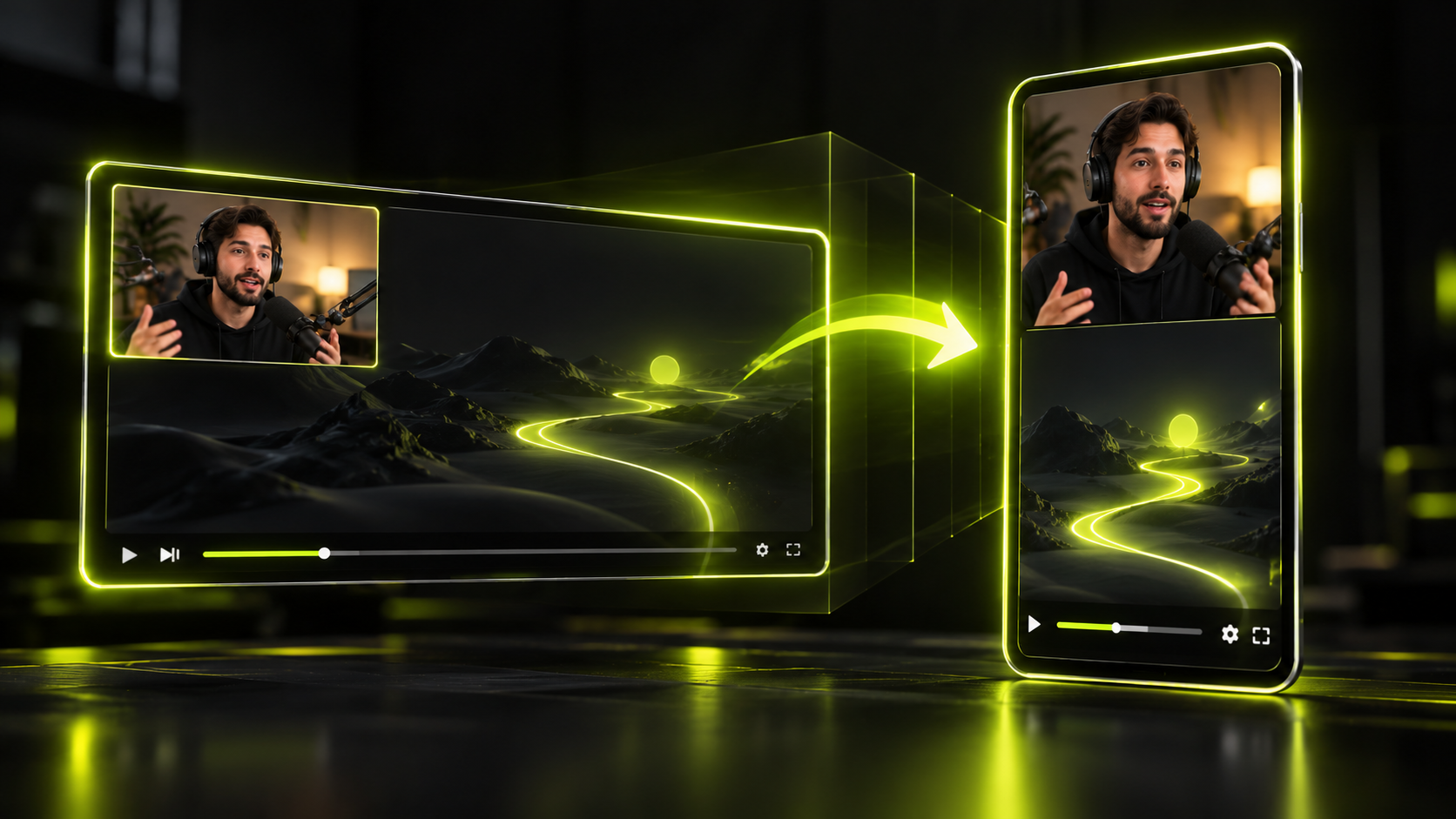
To turn a podcast into YouTube Shorts, start by transcribing the episode. Pull out every answer that makes sense on its own, and rank those answers by their first line. Then frame the speaker in 9:16, add captions, and post the strongest ones first. There's no magic number of clips per episode. You get as many shorts as you have answers that pass the stand-alone test in Step 2.
It's worth the effort because podcast audiences now watch. YouTube says it passed 1 billion monthly active viewers of podcast content in January 2025. Edison Research's Infinite Dial 2026 found that 57% of Americans 12 and older have both listened to and watched a podcast. YouTube's own podcast guide calls Shorts "a powerful discovery tool" and suggests cutting standout moments into vertical clips.
This guide is the podcast version of our complete workflow for turning long videos into shorts. It focuses on what's different about talk: picking guest moments, framing two or three people, and giving guests credit. The upload and credit steps are specific to YouTube, but Steps 1 to 5 work the same for TikTok and Reels clips.
The short version
- A podcast short is one question and one full answer, with the hook in the first line and no "as I said earlier."
- Work from the transcript, not the scrub bar. Find answers, then rank them by how they open.
- Your clip count is a result, not a target: post the top-ranked answers and keep the rest as backlog.
- Use a single-speaker frame for monologues and a split layout for back-and-forth.
- YouTube counts square or vertical uploads up to 3 minutes as Shorts, but Shorts over 1 minute with an active copyright claim get blocked.
- Credit guests with YouTube's collaborator feature, and get their written OK before you clip them.
What a podcast clip needs
A podcast clip works when a stranger can follow it with no context and no sound. That rules out most of an episode. Banter, setup and callbacks to earlier topics all lean on what came before.
Check every candidate against these traits:
- One question, one full answer. The idea starts and finishes inside the clip.
- A hook in the first line. The opening sentence states a claim, a surprise or a problem.
- No back-references. Phrases like "like I said" or "going back to that" break the clip.
- The speaker's face when the point lands. Show the speaker's face, not a wide shot of two mics, when the point lands.
- Readable on mute. Captions carry the words when the sound is off.
- Fits YouTube's rules. Vertical or square, up to 3 minutes, and clear of copyright claims if it runs past 1 minute.
That last point matters for podcasts in particular. According to YouTube Help, Shorts over one minute with an active copyright claim are blocked. Licensed intro music or a clip the guest played from their own show can trigger a claim. Cut those out before you export.
Before you start
You'll need a few things in place before Step 1:
- The episode as a video file, or a YouTube link to it
- Your guests' OK to clip and post them (more on this under "Credit your guests")
- Each guest's YouTube channel, so you can invite them as collaborators
- A rough idea of which topics your audience asks about most
If you clip someone else's podcast rather than your own, permission comes first. Our guide on whether clipping is legal covers permission, fair use and clipping programs.
Step 1: Transcribe the episode
Start with a timed transcript of the whole episode, so you work from text instead of an afternoon with a scrub bar. Hookspring's word-level transcript gives every word a timestamp, so each caption line is timed to the speech.
In Hookspring:
- Go to Create → Long video → Find clips.
- Upload the episode or paste its YouTube link.
- Check the credit cost, which is shown before you start, and confirm.
- Watch the progress as each step runs. The word-level transcript is built automatically.
If you'd rather stay inside YouTube, the Studio Clips and Shorts tool cuts segments from a long video. You pick them by selecting transcript text or timestamps. Its AI suggestions are only available in some countries. One real perk: a Short made with that tool automatically links the source episode as a related video. That doesn't apply if the episode is private, unlisted or made for kids.
To check that this step worked, open the Review list and confirm each clip shows a hook score and a reason. Then open one clip and check that its captions match what was said.
Step 2: Find answers that stand alone
In Hookspring, run this test on each candidate in the Review list. With other tools, read the full transcript. The goal is a list of answers that make sense with zero context.
Look for answers, not energy. Loud moments feel like hooks, but laughter and crosstalk often don't make sense out of context. Check the calm, specific answers before the shouted ones.
Good places to look in a conversation:
- A guest's direct answer to a question your audience actually asks
- A short story with a clear ending
- A disagreement between host and guest, stated plainly
- A specific tip, number or step the guest shares from their own work
- A listener question answered in full
Then run each candidate through the stand-alone test:
- Does it answer one question?
- Is the full answer inside the clip?
- Does the first sentence work as an opener?
- Is it free of "as I said" or references to earlier topics?
If any answer is no, drop it or trim it until it passes. Here's an illustration, not a real quote:
- Fails the test: "Like I said earlier, pricing was the problem. We doubled the price, and almost nobody left."
- Passes after a trim: "We doubled the price, and almost nobody left."
The trim works because the second sentence makes sense without the first. If the point only makes sense with the earlier context, drop the clip. Sometimes the host's question is the best opener. Other times you should cut the question and start on the guest's first strong sentence. Our guide on how to pick the first word of a clip goes deeper on cold opens from long-form.
Step 3: Rank by the opening line
Now put your candidates in order, best opener first. A viewer decides fast, so the opening line decides which clips you post first.
In Hookspring:
- Open the Review list and sort by score.
- Read the reason under each hook score. Each clip is ranked by its opening 1 to 3 seconds, with a plain-English why.
- Open a clip and tighten its start with the timeline handles.
- To cut a weak line, go to Editor → Captions and click ✂ on that line.
Treat the score as a ranking of openings, not a promise of views. It tells you which clip starts strongest. It can't tell you what your audience will care about this week. Use your own judgment on topic and timing.
This step also answers the "how many clips?" question. Your count is however many answers passed Step 2. Post the top of the ranked list first. Keep the rest as backlog for slow weeks.
Step 4: Frame two or three speakers
By the end of this step, each clip is 9:16 with the right person on screen. Many podcasts are filmed wide, so a plain center crop often cuts off one speaker or shows empty space between two chairs.
Pick the layout from what happens in the clip:
| What's in the clip | Layout to use |
|---|---|
| One person answers for the whole clip | Single frame, fill, focus on that speaker |
| Host and guest trade lines | Split layout, two parts, one speaker in each |
| Three-person panel discussion | Split layout, three parts |
| Wide shot you can't crop well | Fit with a blurred background |
In Hookspring:
- For a single speaker, drag the focus box onto them on stage. The click-to-focus frame keeps them framed and tracked as they move.
- For two or three speakers, go to Editor → Focus → Layout and pick a split. Splits go up to four parts.
- Drag the focus box onto each speaker so every part shows a face.
- Play the clip once and confirm nobody drifts out of frame.
Use a single-speaker frame for most guest answers, so the viewer watches the person making the point. Save splits for real back-and-forth, where the reaction is part of the moment. For more ways to reframe wide footage, see how to convert horizontal video to vertical without losing the speaker. Our guide to editing vertical video for Shorts, Reels and TikTok covers the rest of the edit.
Step 5: Caption for talk
Next, make every clip read clearly with the sound off. Podcast clips are almost all speech, so the captions carry the whole message for anyone scrolling on mute.
How common is muted viewing? A 2019 survey by Verizon Media and Publicis Media found that 69% of US adults watch video with the sound off in public. The survey is old, so treat it as a reason to caption, not a current figure.
In Hookspring:
- Open Editor → Captions tab and pick a template: Hook, Minimal or News.
- Read every line. Captions are word-timed and editable line by line.
- Fix guest names, show names, product names and jargon. Check those line by line.
- Add the guest's name and the show title with Editor toolbar → Text if the viewer needs to know who's speaking.
For talk, pick the template that stays readable for long stretches of speech. Bold, punchy styles suit short reactions. Calmer styles suit a full answer. Our guide to captions for shorts covers size, style, safe zones and timing.
Step 6: Export and upload
The last step puts your clip on YouTube as a Short that points viewers back to the full episode.
In Hookspring:
- Go to Editor → Export → Download.
- Choose 720p or 1080p. The clip renders in your browser as a vertical MP4 with captions burned in and no watermark.
On YouTube desktop, upload it through Studio → Create → Upload videos. Square or vertical videos up to 3 minutes count as Shorts.
Keep your Shorts out of the podcast playlist itself. YouTube Help says podcast playlists should hold full episodes only, and Shorts that support a podcast don't appear in YouTube Music. We recommend naming the episode in each Short's description so viewers know where to find the full conversation. For more on that handoff, read how to turn Shorts viewers into long-form subscribers.
A weekly loop from one episode
One episode can feed a week of posting if you run the same loop every time. The loop matters more than any single clip, because it keeps you posting while the next episode records.
A simple weekly loop:
- Record day: the episode goes up in full.
- Same day: transcribe it, run the stand-alone pass and rank the results.
- Next day: edit the top-ranked clips, frame them and caption them.
- Through the week: post the clips in score order, at a pace you can keep.
- End of week: move unused clips into a backlog, tagged by topic.
The backlog is your safety net. When an older topic comes up in the news, or you miss a recording, you already have finished answers ready to go.
Cost stays predictable with this loop. In Hookspring, credits pay only for transcription and hook scoring, priced by video length, while editing, captions and export are unlimited. The details are on the pricing page.
The same loop works beyond podcasts. Streamers can follow it with our guide to clipping Twitch and YouTube streams into highlight shorts. Teams with recorded talks can use this guide to turning webinars and lectures into short clips.
Credit your guests
Ask guests before you post, and give them visible credit. Credit shows the guest's name and a subscribe button on your Short. Both steps help protect the relationship with your guest.
On YouTube, use the collaborators feature for Shorts. On desktop, you can invite up to 10 creators. Once a collaborator accepts, their name and subscribe button show on the Short.
The path in YouTube Studio:
- Create → Upload, then open Details.
- Go to Audience → Show more.
- Under Collaboration, choose Invite a collaborator.
For permission, a common practice is a short written guest release signed before or at recording. It usually covers clips, the social platforms you'll post on, use of the guest's name and likeness, and how long you can keep posting. This is general practice, not legal advice. Publicity rights vary by jurisdiction, so check local rules if you're unsure.
Checklist
Run through this before each clip goes live:
- The clip answers one question, fully, with no "as I said"
- The first line works as an opener on its own
- It's ranked against the episode's other answers, not picked at random
- The right speaker is in frame for the whole clip
- Split layouts show a face in every part
- Captions are checked, with names and jargon spelled right
- It's vertical or square and no longer than 3 minutes
- Licensed music and other claimable material are cut, especially past 1 minute
- The guest is invited as a collaborator and has agreed to clips
- The description names the full episode
- The Short stays out of the podcast playlist
Record long, post short. Once the loop runs every week, each episode keeps your Shorts coming long after it goes up.
FAQ
How long can a YouTube Short be?
YouTube treats square or vertical uploads up to 3 minutes as Shorts, for uploads on or after October 15, 2024. Shorts over 1 minute with an active copyright claim are blocked, so check for licensed music in longer clips. Let the answer set the length, not the limit.
How many shorts can I get from one podcast episode?
There's no fixed number. Your count is however many answers pass the stand-alone test: one question, one full answer, a hook in the first line and no back-references. Rank them, post the best first and keep the rest as backlog.
Do I need permission to post guest clips?
Getting it is the safe default. A written guest release covering clips, platforms, name and likeness, and duration helps avoid disputes later. This isn't legal advice, and publicity rights vary by jurisdiction. If you clip another creator's podcast, get their permission or join their clipping program; fair use is narrow, so read whether clipping is legal first.
Can I turn an audio-only podcast into Shorts?
Yes, but Shorts are video, so you need a visual layer. A common approach is a still cover image or simple background with large captions over the audio. Make a video version first, then clip it like any other episode.
Should podcast clips have captions?
Yes. Podcast clips are almost all speech, so captions carry the message for anyone watching on mute. A 2019 Verizon Media and Publicis Media survey found 69% of US adults watch video with the sound off in public.
Written and maintained by the Hookspring team. Spot an error or something out of date? Email hello@hookspring.com.
Sources
- Shorts length and copyright claims on longer Shorts, YouTube Help, retrieved 2026-10-18
- Upload YouTube Shorts on desktop, YouTube Help, retrieved 2026-10-18
- Create Shorts with the Clips and Shorts tool, YouTube Help, retrieved 2026-10-18
- Podcast playlists on YouTube, YouTube Help, retrieved 2026-10-18
- Add collaborators to Shorts, YouTube Help, retrieved 2026-10-18
- The definitive guide to creating engaging podcast content, YouTube Official Blog, retrieved 2026-10-18
- 1 billion monthly podcast users, YouTube Official Blog, retrieved 2026-10-18
- The Infinite Dial 2026, Edison Research at SSRS, retrieved 2026-10-18
- 80% of video caption users aren't hearing impaired, finds Verizon, Streaming Media, retrieved 2026-10-18